A code on the table opens that venue's own menu. No account, and nothing to install.
Hospitality operating system
From a code on the table to a ticket in the kitchen, in seconds
The order ends… the experience does not.
With ALNADL, hospitality is not only taking an order and filling it. We build a whole experience: it begins at the first touch, turns the waiting into something worth having, and gives your guest reasons to enjoy the visit even after they pay.
Already have an account? Same door, whatever your role.
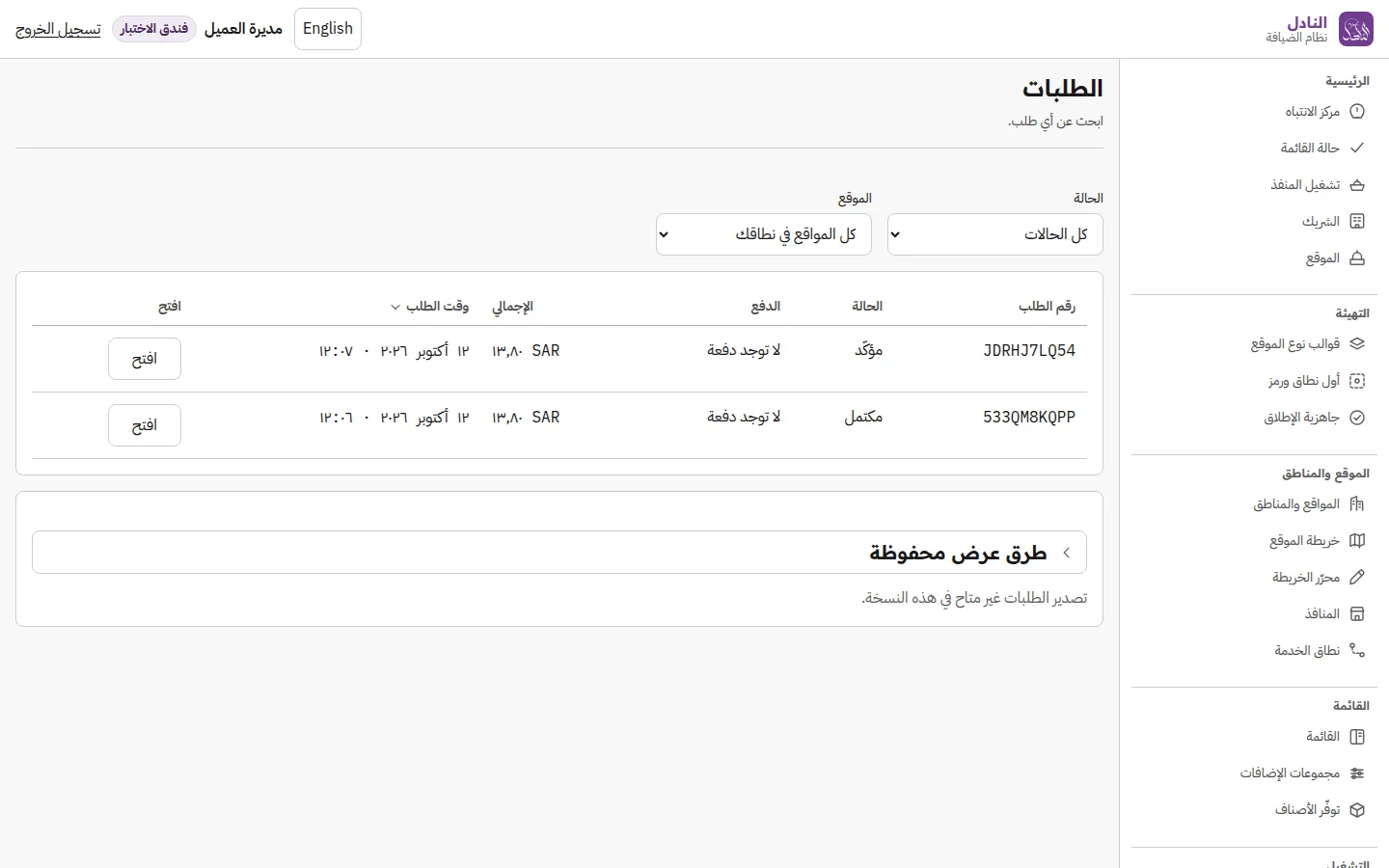
Your guest orders with no account and no app
Ordering anonymously is the default, not a lesser mode.
Your identity on every screen they see
The mark, the colour and the name — from the code to the receipt.
Clients are fully isolated
Permission is enforced on the server, never by hiding a button.
How it works
Three moments between the table and the books
The guest scans and orders, the kitchen sees what is on it, and the order closes and is accounted for. Nothing to install, and no waiting for somebody to come and take it.
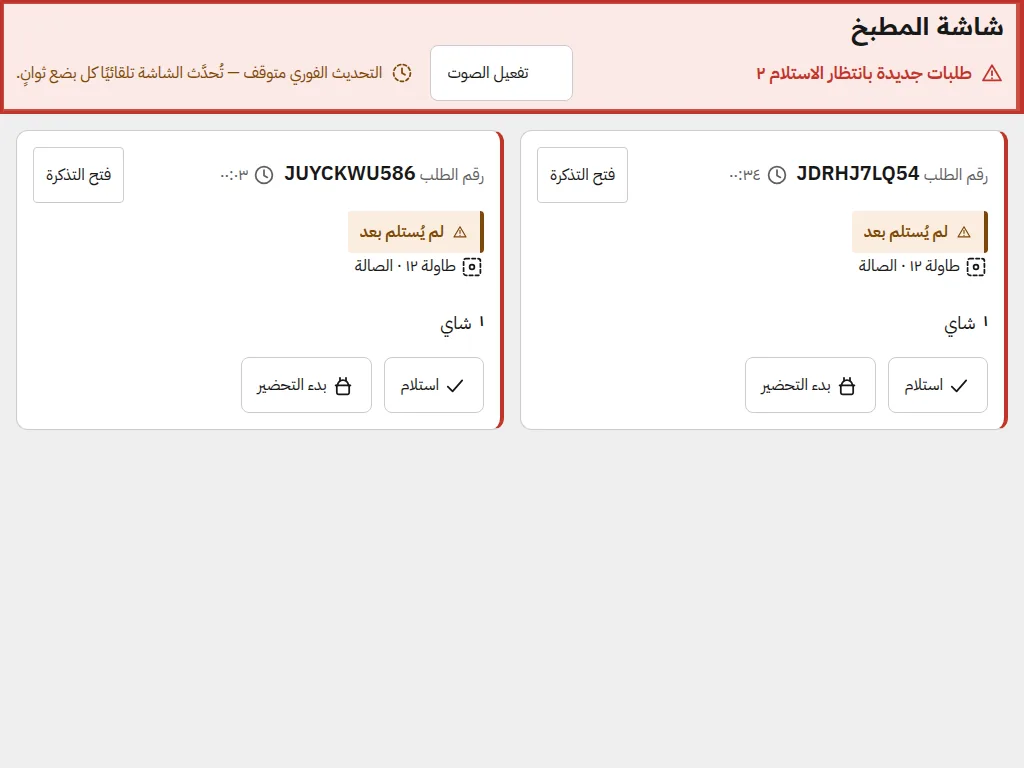
The ticket arrives the moment the order does, with an alert that does not stop until somebody takes it. Every team sees only its own.
The collection is recorded in the name of whoever took it, and the invoice is numbered from your own sequence. No hidden percentages.
The guest
Your guest orders where they are, with no account and no app
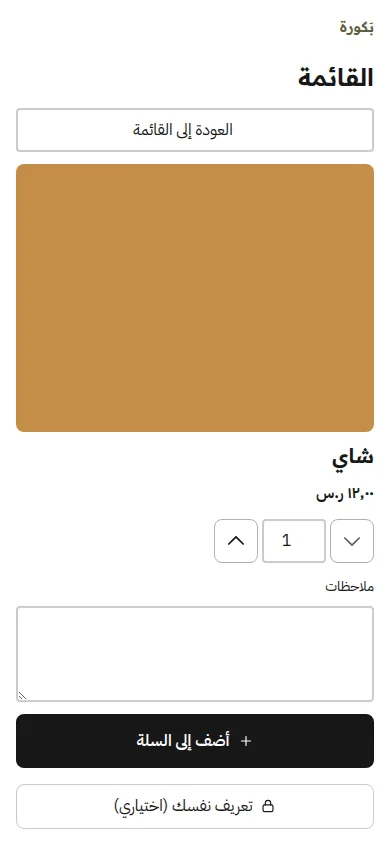
Ordering anonymously is the default. A guest who does identify themselves gets something for it immediately.
- A code on the table, and nothing to install
- Options and notes on an item before it is added
- The order's state, followed through to handover
- Identity and loyalty are always optional
The menu
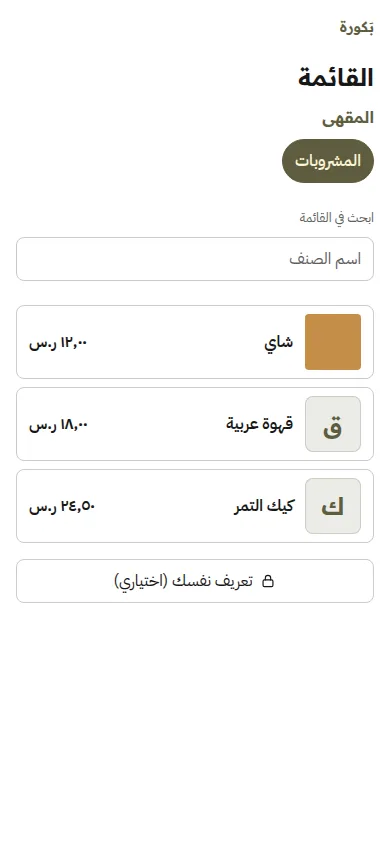
A menu that is composed and published, not a file uploaded
Categories, items, options and prices, with a published version and a draft you work on. Publishing is an act, and it has a recorded reason.
- Option groups attached to the items they belong to
- Availability managed in the moment, with no republish
- An image per item, and you choose which one a guest sees
- Prices before tax
Operations
Every team sees what it needs, when it needs it
The kitchen sees tickets and nothing else, a runner sees their queue, a driver sees their job. Somebody who works one screen lands on it directly.
- A new order alerts loudly, and keeps sounding until it is taken
- A time window on every ticket, from the server and not the browser
- The runner's queue, with its own ready alert
- A delivery map on the provider's data — no invented position and no invented time
The money
No hidden percentages and no silent assumptions
Prices are before tax, and the rate is a setting with an effective date and a record that is never edited in retrospect.
- Dated versions of the tax rate, with a reason for each change
- Collection at the point, recorded in the name of whoever took it
- An internal invoice, numbered by a scheme you configure
- A refund takes two people
Loyalty and engagement
Rules that have versions, not numbers in the air
Earning, redemption and expiry rules, each with a version and a date. And engagement never leaves the modes you allowed.
- A points ledger whose every movement is explained
- Expiry by batch, never a blanket wipe
- Points are earned when the order completes, not before
Moments
The minutes that used to be dead time
A Moment is a short experience your place chooses and your guest opens from the same screen — while they wait, and after they pay. No app, no account.
A visit, simulated — what your guest sees, in order
From the scan to past the bill. The two steps marked in brass are Moments.
- They scan The experience pass comes from the code, not from the bill.
- They order Nothing to install, and no account required.
- While they wait Moment The first moment opens here — in the minutes that were empty.
- They receive it And they return to their order where they left it.
- The bill The bill is a stop in the visit, not its end.
- And after they pay Moment The pass is still valid, and the rating knows what they ordered and when it arrived.
Pick a mode and see what your guest sees
And eight interaction families beneath them Prompt · Timed guide · Choice · Question · Estimate · Order · Recall · Hunt
Your guest's screen
And what happens at the two brass steps?
While they wait
Between placing the order and receiving it, the screen that said “preparing” has something worth the minute.
- The pass comes from the code, not from the bill
- One short moment, not a series that eats the wait
- They rate it and return to the order where they left it
And after they pay
The pass does not end at the bill. What is left of the visit stays theirs: a rating, another moment, points that land.
- The bill is a stop in the visit, not its end
- The rating is tied to their order, not a general survey
- Points land on completion and they see it at once
What your guest gets
- Waiting becomes part of the visit instead of time lost
- The pass is issued at the scan and stays with them through the visit
- Nothing is gathered about them: the choice knows the time and the place, never the person
- They rate each moment, and you hear it
What your business gets
- You permit the modes per area or point — what you do not publish is never served
- A ceiling on how many moments one visit may serve, set by you
- An immediate stop that takes effect at once, with nothing to wait for
- A fixed experience ledger: what your guest saw is kept word for word
- An impression that outlasts the visit, and their words about your service
And it never crowds the floor
A Moment is issued beside the order, never inside it. If it fails, the order reaches the kitchen exactly as it would have and your guest sees nothing missing — and no experience pass ever delays a kitchen ticket.
Where it sits in the journey: after the scan, during the wait, and after the bill — one continuous visit.
White label
Your guest sees your mark, from the code to the receipt
This band wears a client's identity — their mark and their colour. The product does the same thing: your guest's screens carry your name, not ours.
- Your mark and your colours on every screen a guest sees
- A preview before publishing, and publishing separate from activation
- State colours are untouchable: an error stays red and a success stays green
 بَكورة
An exemplar client
بَكورة
An exemplar client
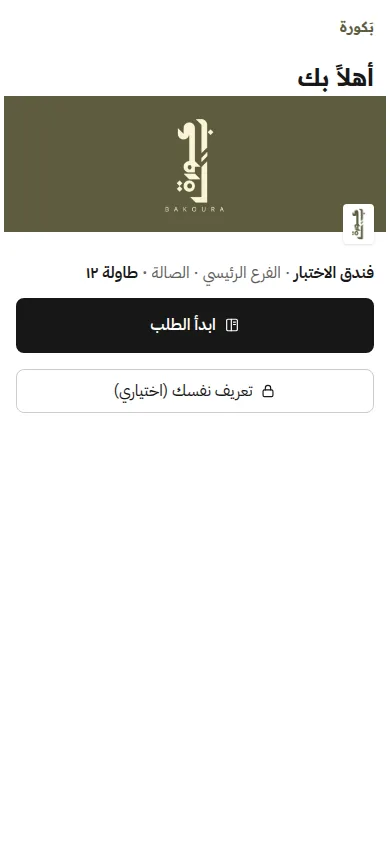
The welcome screen
The menu
The printed code
The receipt
Start
See ALNADL on your own venue, then judge it
We show the product on your venue: your sites, your menu and your codes on your tables. And in that walkthrough we say in detail what it does and what it does not.
Guests do not need this page: they arrive by scanning a code in your venue, with no account and no app.
Staff sign in through one door, whatever the role.
The ALNADL mark and icons are the product's approved assets, the screenshots on this page are taken from a running installation, and the remaining artwork is drawn in the same family's language. Bakoura is an exemplar client: its identity really is published and active in the product, and what you see on the guest screens is what comes out of it.